

Description
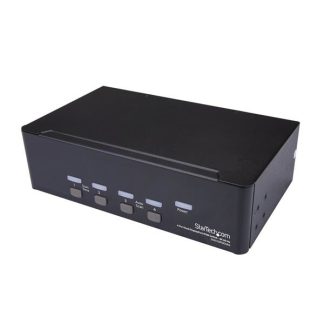
Share a mouse, keyboard, USB 5Gbps hub, and dual 4K 60Hz DisplayPort displays between two DisplayPort-enabled computers
This Dual-Monitor KVM Switch enables users to switch between two desktops that are USB-A and DisplayPort enabled. It allows for sharing of dual-4K 60Hz DisplayPort monitors, a keyboard and mouse, and two USB 5Gbps devices.
Fast Switching with USB Emulation
USB Emulation technology enables faster switching of a keyboard, video, and mouse compared to traditional KVMs. USB Emulation also ensures compatibility with combination keyboards/mice as well as keyboards featuring additional function keys.
Dual-4K 60Hz Displays & USB 5Gbps Hub Ports
This TAA-Compliant KVM Switch supports dual-4K 60Hz DisplayPort monitors, making it ideal for working with high-resolution graphics or video. Additionally, it offers two USB 3.2 Gen 1 (5Gbps) Hub Ports for fast data transfer, and two USB 2.0 HID Ports for the keyboard and mouse. 8kV air and 6kV contact Electrostatic Discharge (ESD) protection.
Customizable Switching
This Universal KVM Switch provides various switching options, including hotkey or push-button switching. Hotkeys allow for independent switching of USB/Video and Audio, enabling audio playback from one computer while controlling the other. An audible buzzer confirms hotkey input, and LEDs provide a visual status of the selected host.
Enhance Productivity and Device Management with the StarTech.com Connectivity Tools Application
Developed to improve performance and security, StarTech.com Connectivity Tools is the only software suite on the market that works with a wide range of IT connectivity accessories. The software suite includes:
• Advanced Windows Layout Utility: Setup and save custom windows layouts.
• MAC Address Pass-Through Utility: Improve network security.
• USB Event Monitoring Utility: Track and log connected USB devices.
• Wi-Fi Auto Switch Utility: Enable users to quickly access faster network speeds via wired LAN.
For more information and to download the StarTech.com Connectivity Tools application, please visit: www.startech.com/connectivity-tools
The StarTech.com Advantage